MATLAB Function rmpath — Remove folders from search path
Nov. 27, 2025 in Buffalo, United States • Updated Nov. 28, 2025
When I was writing blog1, I used a simple example to show how to add all functions (or classes) within a folder, including all subfolders, into the search path. After that, however, when I wanted to delete this folder, I found I couldn’t — I didn’t have permission.
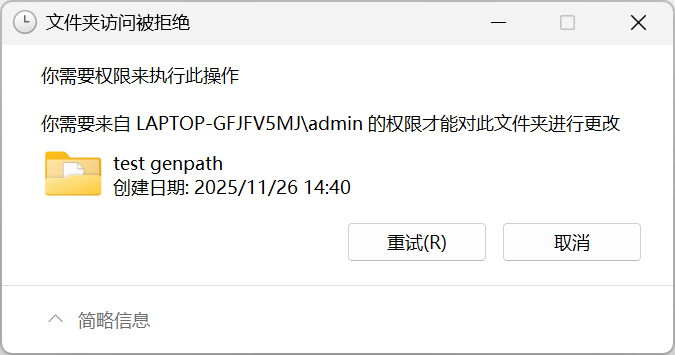
There are two methods to solve this problem:
- Restart MATLAB and then delete, since MATLAB will automatically delete those temporary search paths after closing.
- Use
rmpathfunction2 to remove the newly added search path,rmpath(genpath('folders')), and then I could delete it successfully.
References