Compare Two Files and Folders in MATLAB
MATLAB provides an efficient tool to compare two files and folders. We can take a simple example to test it.
Firstly, create two new folders, folder 1 and folder 2. In the folder 1, create a script file script.m:
1
2
3
4
5
6
7
8
clc, clear, close all

a = 1;
b = 2;

c = a+b;

save("result.mat", "a", "b", "c")
then run it and we can get a result.mat.
Similarly, in the folder 2, similarly create a script.m:
1
2
3
4
5
6
7
8
clc, clear, close all

a = 1;
b = 2;

c = a*b;

save("result.mat", "a", "b", "c")
and likewise we can get a result.mat.
Then, we right click the head of Current Folder part, and choose Compare:
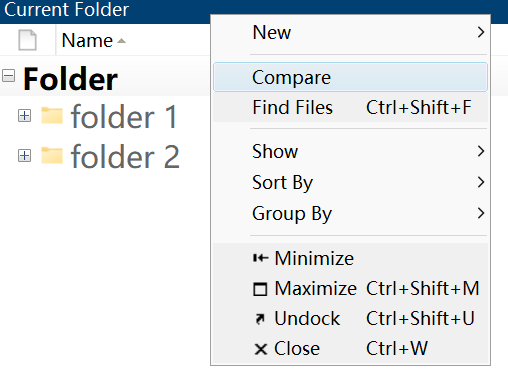
and next select these two folders and click compare button:
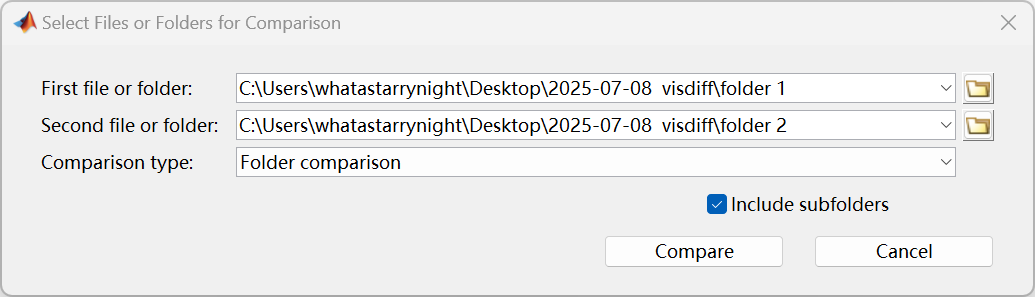
then we can see the comparison results:
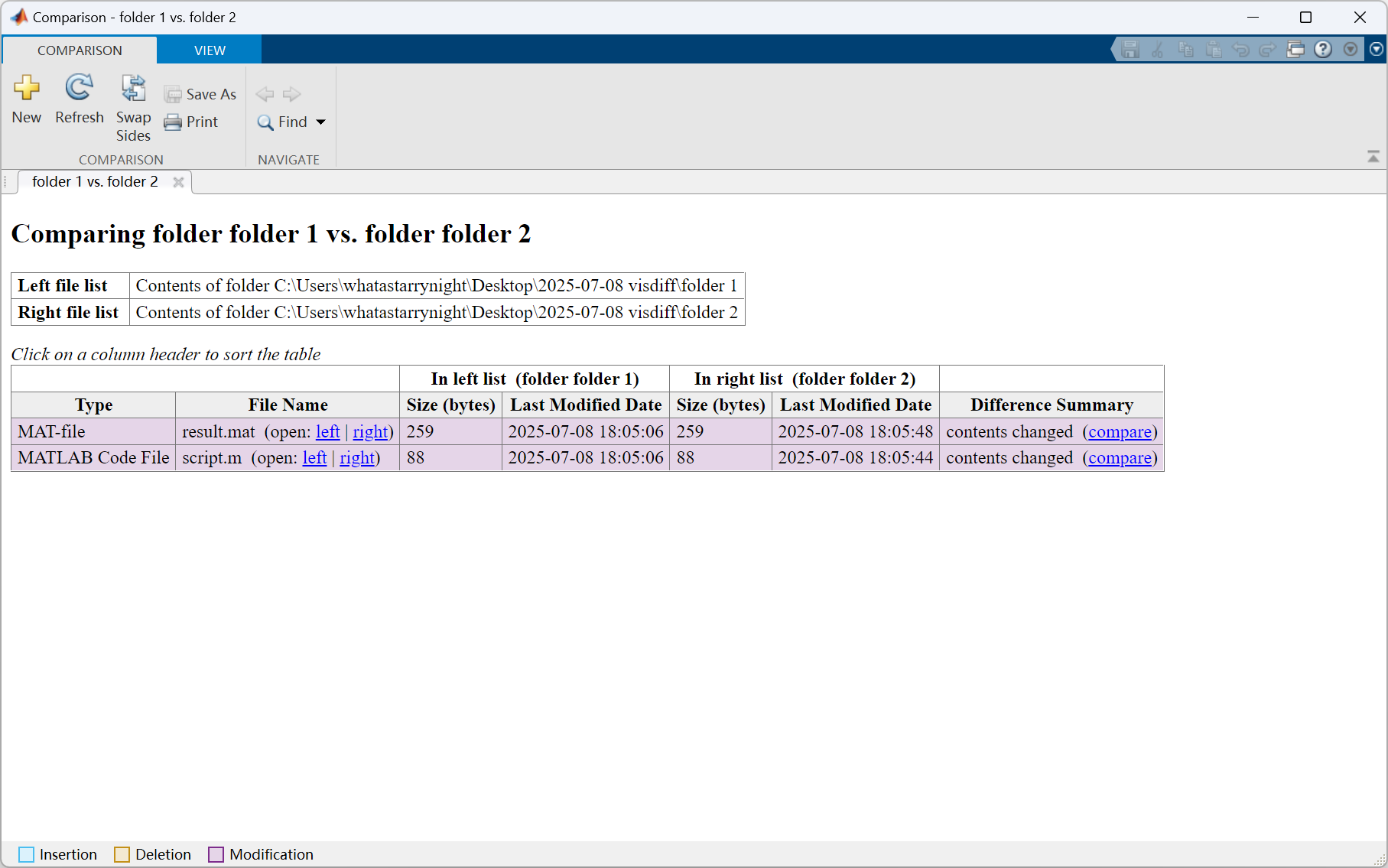
where for script.m:

and result.m:

The comparison looks very straightforward.
By the way, we can also use the visdiff function1 to active the comparison:
1
visdiff("folder 1", "folder 2")
which is a more convenient way to my mind.
To some extent, for MATLAB-related files (like above .mat file), this built-in function of comparison is more compatible and convenient than the software Beyond Compare2.
References