MATLAB tic and toc Pair and timeit Function
tic and toc pair
I often use the tic (Start stopwatch timer1) and toc (Read elapsed time from stopwatch2 ) function to record the running time of a certain piece of code, and thereby make a rough prediction for time complexity. But when I try to record the elapsed time of each loop and that of the whole loop at the same time, something happens out of my expectation. For instance, run the following code:
1
2
3
4
5
6
7
8
9
10
clc,clear,close all

tic % First tic
pause(5)
for i = 1:2
    tic % Second tic
    pause(0.5)
    toc % First toc
end
toc % Second toc
the results showing in the command window like:
1
2
3
Elapsed time is 0.514177 seconds.
Elapsed time is 0.509443 seconds.
Elapsed time is 0.509624 seconds.
It can be seen that, actually, the second toc also reads the elapsed time from the timer created by the second tic, rather than the first tic, although the code looks as if tic and toc pair which is out of the for loop is recording the running time of the whole loop.
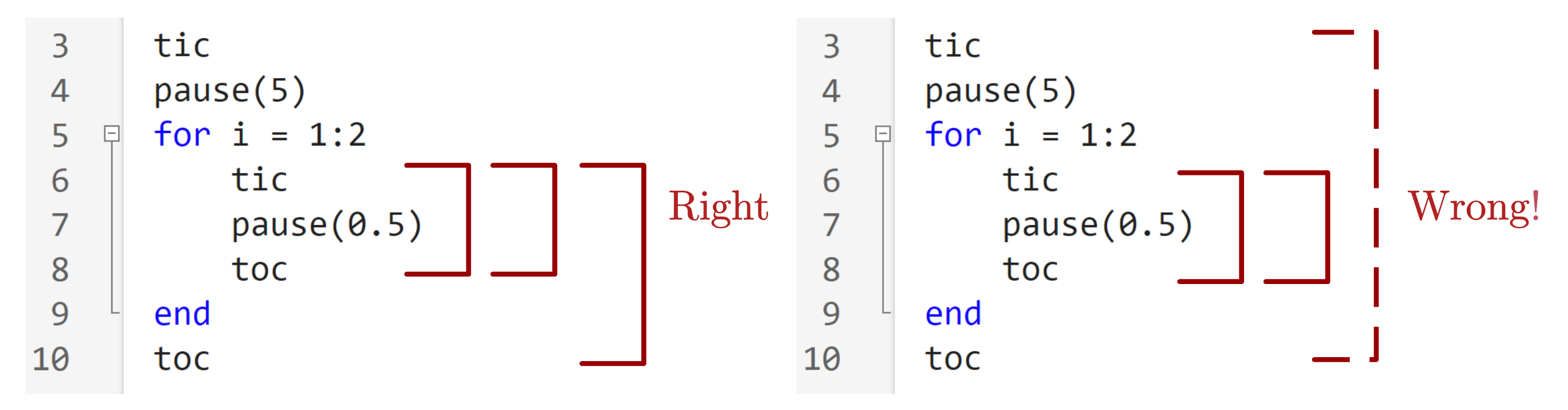
That means that the action of reading time from timer by the toc function dose not interrupt or stop timer.
So, if I want to realize what I expect, the code should be like this2:
1
2
3
4
5
6
7
8
9
10
11
clc,clear,close all

tStart = tic;
pause(5)
for i = 1:2
    tic
    pause(0.5)
    toc
end
tEnd = toc(tStart);
disp(tEnd)
1
2
3
Elapsed time is 0.504834 seconds.
Elapsed time is 0.501781 seconds.
    6.0173
We could also inspect the tStart value:
1
2
3
4
>> tStart
tStart =
  uint64
   159631328433
Note that this is a integer that has meaning ONLY for the toc function1:

Furthermore, we could record the running time of each time in the loop and put them in the vector T:
1
2
3
4
5
6
7
8
9
10
11
12
13
14
15
clc,clear,close all

tStart = tic;
pause(5)
numTimes = 3;
T = nan(1,numTimes);
for i = 1:numTimes
    tic
    pause(0.5)
    T(i) = toc;
end
tEnd = toc(tStart);

disp(T)
disp(tEnd)
1
2
0.5129    0.5003    0.5021
6.5226
timeit function
While learning the tic and toc function, I found a new function timeit3, which is used to measure time required to run function. An official example provide by MATLAB documentation (i.e., Compare Time to Execute Custom Preallocation to Calling zeros) is like:
1
2
3
4
5
6
7
8
9
10
11
12
13
14
15
clc,clear,close all

x = 1000;
y = 500;
g = @() preAllocFcn(x,y);
h = @() zeros(x,y);
diffRunTime = timeit(g)-timeit(h)

function mArr = preAllocFcn(x,y)
for m = 1:x
    for n = 1:y
        mArr(m,n) = 0;
    end
end
end
1
2
diffRunTime =
    0.0682
It should be noted that:
(1) Variables g and h should be function handles, and without input argument, otherwise an error will occurs:
1
2
3
4
...
g = @(x,y) preAllocFcn(x,y);
...
diffRunTime = timeit(g)-timeit(h)
1
2
3
4
5
6
Error using timeit
First argument must be a function handle that
takes no input argument.

Error in script1_testtic (line 7)
diffRunTime = timeit(g)-timeit(h)
(2) timeit function will calls the specified function multiple times and returns the median of the measurement.

(3) Using timeit between tic and toc may cause some unexpected results:
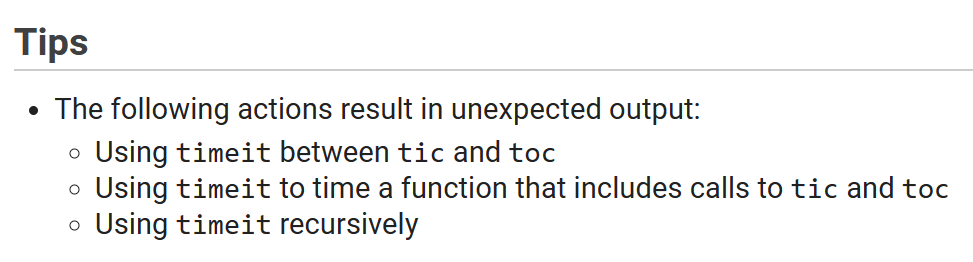
For example:
1
2
3
4
5
6
7
8
9
10
11
12
13
14
15
16
17
18
clc,clear,close all

tStart = tic;

tic
f = @() helperPause;
toc

tic
runtime = timeit(f);
toc

tEnd = toc(tStart);
disp(tEnd)

function helperPause
pause(0.5)
end
The result is:
1
2
3
Elapsed time is 0.000053 seconds.
Elapsed time is 0.509704 seconds.
    6.5978
The elapsed time of line runtime = timeit(f); recorded by the tic and toc pair is not right. But this issue could be deal with explicitly stating timer:
1
2
3
4
5
6
7
8
9
10
11
12
13
14
15
16
17
18
clc,clear,close all

tStart = tic;

tStart1 = tic;
f = @() helperPause;
tEnd1 = toc(tStart1);

tStart2 = tic;
runtime = timeit(f);
tEnd2 = toc(tStart2);

tEnd = toc(tStart);
disp(tEnd1),disp(tEnd2),disp(tEnd)

function helperPause
pause(0.5)
end
1
2
3
4.0500e-05
6.6502
6.6503
References